
If you’ve worked in a Fabric Lakehouse, you’ve already been using Delta Lake, even if you haven’t thought much about it. Every table in a lakehouse is stored in Delta format by default. Understanding what that actually means, and why it was designed that way, changes how you think about the whole platform.
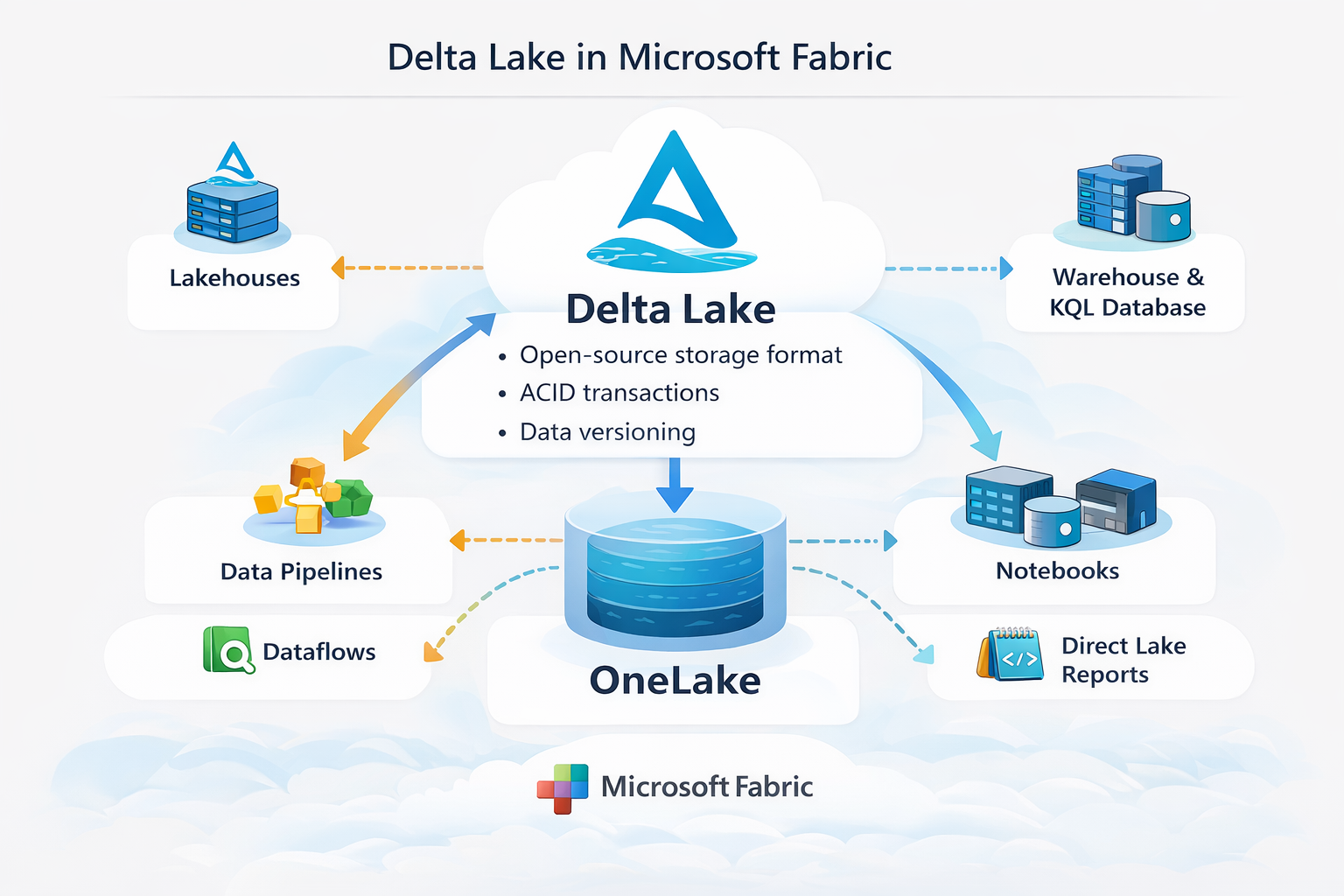
In this post I’ll cover what Delta Lake is, the problems it was built to solve, and how Fabric uses it to make a single copy of your data available across SQL, Spark, and Power BI.
What Is Delta Lake?
Delta Lake is an open-source storage format that sits on top of Parquet files. Parquet handles the columnar storage. Delta Lake adds a transaction log on top of it.
That transaction log, stored in a _delta_log folder alongside the Parquet files, is the key difference. Every write to a Delta table (INSERT, UPDATE, DELETE, schema change) is recorded as a JSON entry in that log. The log is the authoritative record of what the table looks like at any point in time. The Parquet files are just the data; the log is what gives the table its structure, history, and guarantees.
Delta Lake was created by Databricks and is now open source under the Linux Foundation. Fabric adopted it as the default table format for lakehouses, which means the format is not specific to Microsoft. A Delta table written by a Spark job in Fabric can be read by Databricks, Apache Spark, and any other engine that supports the Delta open-source specification.
The Problems It Was Built to Solve
Data lakes before Delta Lake had real reliability problems.
Partial writes. If a pipeline wrote 10 files to a folder and failed on the 9th, there was no automatic cleanup. The folder was left in a broken state with no built-in way to know what was complete and what wasn’t.
Concurrent reads and writes. Reading a table while a write was in progress could return inconsistent results: some files from the old version, some from the new one, mixed together.
No way to fix mistakes. Once data was written to a data lake, rolling it back meant either restoring from a backup or manually deleting files and hoping nothing depended on them.
Schema drift. A source system could add a column or change a data type, and your pipeline would either break silently or load corrupted data.
Delta Lake addresses all of these through four core capabilities.
Core Capabilities
ACID Transactions
ACID stands for Atomicity, Consistency, Isolation, and Durability. In plain terms, it means a write either fully completes or fully doesn’t. No partial results. If a job fails halfway through, the transaction is rolled back and the table is left in the state it was before the write started.
This matters for anyone running pipelines that append or overwrite data on a schedule. Without ACID guarantees, a failed run can corrupt the table silently, and you might not notice until a report shows wrong numbers.
Time Travel
Because every write is recorded in the transaction log, Delta Lake keeps a history of the table. You can query a previous version by number or by timestamp.
In Spark SQL:
-- By version
SELECT * FROM my_table VERSION AS OF 5

-- By timestamp
SELECT * FROM my_table TIMESTAMP AS OF '2026-03-01 00:00:00'
This is useful for auditing, debugging bad loads, and recovering from accidental deletes. The history goes back as far as the transaction log entries and the underlying Parquet files still exist (before VACUUM removes them).
Schema Enforcement and Evolution
By default, Delta Lake rejects writes that don’t match the table’s schema. If a source system adds a column you weren’t expecting, the write fails rather than silently corrupting the table. This is schema enforcement.
When you actually want to add a column, you can use schema evolution to merge it in:
df.write.option("mergeSchema", "true").format("delta").mode("append").save(path)
The table schema updates automatically, and existing rows show null for the new column. Old queries that don’t reference the new column keep working.
Unified Batch and Streaming
Delta tables work the same way whether data is being written in batch or streamed in using Spark Structured Streaming. The same table can be the target of a scheduled pipeline and a real-time stream at the same time, and reads from that table see a consistent view regardless of which write process is currently running.
How Fabric Uses Delta Lake
Every table created in a Fabric Lakehouse is stored as Delta by default. This is not configurable. When you create a table using a notebook, a dataflow, or a data pipeline, the output is Delta Parquet files in OneLake with a _delta_log alongside them.
That single format is what makes it possible for multiple engines to read the same data without copying it.
Spark (Notebooks). Reads and writes Delta tables natively. You can run MERGE, UPDATE, DELETE, OPTIMIZE, VACUUM, and time travel queries directly from a notebook.
SQL Analytics Endpoint. Each lakehouse has an automatically generated SQL endpoint that reads the Delta tables using T-SQL. No ETL, no import step. The endpoint reads the same files in OneLake that Spark writes to.
Power BI DirectLake. DirectLake mode reads directly from the Delta Parquet files in OneLake rather than importing data into a dataset. This means reports are fast to refresh and always working from the most recent version of the data, without loading it into a separate store.
The same files, three different engines, no data movement. That’s the practical payoff of having a single, well-defined open format underneath everything.
Table Maintenance
Delta tables accumulate files over time. Updates and deletes don’t modify files in place; they write new files and mark old ones as deleted in the transaction log. Left unchecked, a table that gets frequent updates ends up with thousands of small files, which slows down queries. Fabric (and Spark) provide two commands to address this.
OPTIMIZE compacts small files into larger ones and optionally applies Z-ORDER to co-locate related data:
OPTIMIZE my_table ZORDER BY (customer_id)
Z-ORDER is useful for filter-heavy queries. If you frequently filter by customer_id, Z-ordering by that column groups related rows into fewer files so Spark can skip more of them at query time.
VACUUM removes the physical Parquet files that are no longer referenced by the transaction log. By default, it keeps files from the last 7 days to support time travel:
VACUUM my_table RETAIN 168 HOURS
Lowering the retention below 7 days is possible but disables time travel for the deleted versions. Run VACUUM after OPTIMIZE, not before.
Fabric runs automatic OPTIMIZE in the background for lakehouse tables, but it’s worth understanding what it’s doing and when to run it manually for large or write-heavy tables.
Final Thoughts
Delta Lake is the reason a Fabric Lakehouse can serve SQL queries, Spark jobs, and Power BI reports all from the same files without a separate loading step for each. The transaction log is what makes that reliable: every engine reads a consistent view of the table, and every write is either fully committed or not committed at all.
If you’re building on Fabric, you’re already using Delta Lake. Understanding the transaction log, time travel, and table maintenance gives you the tools to build pipelines that are both reliable and performant, and to debug them when something goes wrong.